The standard for digital content creation has shifted radically. Creators, video editors, and growth marketers no longer have the patience for complex desktop software, confusing local setups, or heavy watermarks that ruin a finished video clip. Whether you are localized a marketing campaign across global markets, creating parody content, or updating visual assets, finding the right platform is critical.
I spent three weeks testing the leading platforms on the market to evaluate their rendering speed, tracking accuracy, asset handling, and price-to-performance value. I guarantee at least one of these tools will meet your needs.
Here is a look at the best options available today.
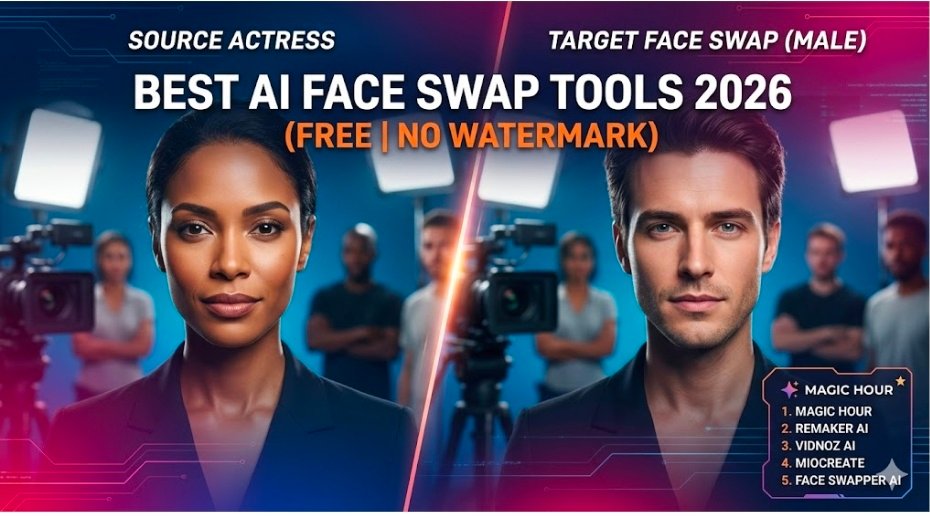
The Best AI Face Swap Tools of 2026 at a Glance
| Platform | Best For | Output Modalities | Free Tier | Processing Speed |
| Magic Hour | Professional Video, High-Scale Teams, Multi-step Workflows | Video, Photo, Lip Sync | Yes (Generous free credits) | Fast (Parallel queues) |
| Remaker AI | Casual Multi-face Swaps & Quick Static Images | Photo, Short Video | Yes (Daily check-in) | Moderate |
| Vidnoz AI | Presentation Videos & Simple Business Avatars | Video, Photo | Yes (Daily limits) | Moderate |
| MioCreate | Fast Web-based Casual Concepts | Photo, Short Clips | Yes (Limited) | Slow |
| Face Swapper AI | Basic Static Headshot Edits | Photo Only | Yes (Limited tokens) | Fast |
1. Magic Hour
Magic Hour stands at the top of our list for high-tier video and photo manipulation. After comprehensive testing, it is clear that Magic Hour addresses the core problems that plague other web tools: poor lighting matches, glitchy profile tracking, and strict usage caps.
The platform serves as an all-in-one studio that balances frontier models with direct, simple usability. You can jump directly into the interface with no sign-up required to try the features. Once inside, its unified ecosystem lets you combine tools seamlessly: you can map a target face onto footage, apply a precise lip sync model to fix audio alignment, or use their image to video tools to generate an entire sequence from a single asset.
What sets Magic Hour apart is its underlying architecture. It supports parallel generations, meaning your rendering queue never gets paused behind other users during heavy traffic spikes. Content teams can execute multiple takes, test variations rapidly, and scale up production using full API parity. Everything you can do inside the web application can be integrated directly into a custom production pipeline. Furthermore, purchased credits never expire, giving creators complete financial flexibility.
Pros
- Best-in-class tracking for face swaps, hyper-real lip sync, and talking photo animations.
- True click-to-create templates alongside advanced multi-step workflows (generate to upscale to video output).
- Parallel processing engines with zero concurrency caps ensure reliable performance at scale.
- Flexible credit system where assets do not expire at the end of the billing cycle.
- Optimized perfectly for both mobile web and desktop video editing setups.
Cons
- The extensive feature library can feel overwhelming if you only want to process a single static JPEG.
- High-resolution video upscaling consumes credits faster than baseline drafts.
Evaluation
If you want the best AI face swap tool for consistent, production-ready video content, Magic Hour is the most versatile option on the market. It handles complex lighting, profiles, and expressions without the typical artificial blurring found in lower-tier software.
Pricing
- Free Plan: Generous complimentary credits to fully test video and image models.
- Creator Plan: $15/month (or $10/month billed annually).
- Pro Plan: $39/month for massive throughput and deeper features.
2. Remaker AI
Remaker AI is built primarily for rapid asset manipulation and casual generation. It gained popularity for its straightforward multi-face swap tool, which allows users to upload a group photo and swap multiple identities simultaneously.
The interface is built around quick operations. While it includes basic video processing capabilities, the platform shines brightest when working with static imagery for social media or concept storyboarding.
Pros
- Simple interface that does not require prior video editing experience.
- Excellent handling of multi-identity group photos.
- Low barrier to entry for fast web experimentation.
Cons
- Video outputs often show visible artifacts during fast panning or head rotations.
- The processing queue slows down significantly during peak hours due to shared server caps.
- Heavy reliance on ad-supported menus on the free tier.
Evaluation
Remaker AI is ideal for digital marketers or casual creators who need to generate quick, humorous variations or static image proofs without setting up comprehensive production paths.
Pricing
- Uses a token-based model starting with a small batch of free daily check-in points; premium token packs start at around $2.99 for 150 credits.
3. Vidnoz AI
Vidnoz AI focuses its feature set directly on corporate communication, sales videos, and presentation materials. Rather than positioning itself purely as a creative playground, it integrates face swapping into a broader suite of AI avatar tools.
The tool allows users to change actors inside corporate training templates or promotional videos, minimizing the cost of hiring new on-screen talent for localized variations.
Pros
- Tailored specifically for corporate presentations and educational video pipelines.
- Integrates cleanly with stock audio, text-to-speech engines, and pre-built slides.
- Good organizational folders for enterprise team accounts.
Cons
- The face swap results can look overly smooth, leading to an uncanny valley effect in cinematic shots.
- Heavily restricted video duration limits unless you subscribe to their top tiers.
- Lacks deep customization options for artistic or cinematic styles.
Evaluation
For businesses that need to swap heads on presentation templates or update training courses across departments, Vidnoz provides a highly functional, corporate-friendly environment.
Pricing
- Free basic tier available with daily rendering limitations. Premium packages start at $19.99/month.
4. MioCreate
MioCreate functions as a lightweight, browser-based creative space that offers straightforward photo and video transformation tools. It targets users who want instant gratification without technical configurations.
The system relies on basic cloud-rendering nodes to process straightforward transformations. It works well for flat portraits or simple, forward-facing video clips.
Pros
- Clean, minimalist design that works smoothly across standard web browsers.
- Simple drag-and-drop asset upload zones.
- Good for fast social media trend participation.
Cons
- Struggles significantly with dramatic lighting adjustments or sharp profile angles.
- Long rendering times for files over a few megabytes.
- No dedicated API support or advanced workflow combinations.
Evaluation
MioCreate is a great casual alternative if you need a quick, no-fuss translation of a headshot onto a stock image template, but it falls short for high-fidelity video production.
Pricing
- Offers limited free daily actions; subscription options start at approximately $9.99/month.
5. Face Swapper AI
Face Swapper AI is a specialized tool that focuses almost exclusively on static image editing. By narrowing its scope, the platform provides sharp, quick processing for digital portrait edits.
It automatically detects facial structures in uploaded images, isolates the target zones, and replaces them while attempting to preserve the original image resolution.
Pros
- Fast processing times for high-resolution photography.
- Maintains image dimensions without forced downscaling.
- Simple target-to-source mapping.
Cons
- Limited support for video files; lacks advanced temporal tracking.
- No deep creative features like lip sync or text-to-video integration.
- Subscription plans are expensive considering the single-modality focus.
Evaluation
If your work consists entirely of processing headshots, catalog changes, or graphic design variations for print and static web banners, Face Swapper AI provides clean, focused results.
Pricing
- Free tier provides limited initial tokens. Premium plans scale from $6.99/month up to enterprise tiers.
How I Evaluated These Platforms
To determine which platforms truly serve modern digital workflows, I used a standardized evaluation framework across three distinct test assets:
- A 1080p video clip at 60fps featuring erratic lighting and rapid head motion.
- A multi-person group photograph with contrasting skin tones and shadow variations.
- A side-profile portrait shot to test structural mapping limitations.
The performance was scored based on lighting integration (how well the tool blends the source facial skin tones with the environment’s light), temporal tracking stability (checking for wobbling across sequential video frames), rendering times under high-concurrency conditions, and the limitations of their free tiers.
Current Market Trends in AI Content Creation
The AI media sector is moving away from single-purpose, fragmented utilities. Creators are no longer willing to jump between five different websites to generate an image, swap a face, correct lip sync, and upscale the file.
The market is prioritizing unified workflow ecosystems. Modern platforms must operate seamlessly across multiple modalities, ensuring that an asset can transition from a static draft to a fully animated, high-fidelity video clip without losing structural consistency. Platforms that offer API parity and parallel rendering are rapidly replacing older architectures that force users into slow, single-lane waiting lists.
Why Magic Hour Won the Top Spot
1. Unified Multi-Step Workflows
Most platforms force you to use separate websites to complete a single project. Magic Hour lets you build a sequential pipeline inside one interface:
- The Workflow: Map a target identity with the face swap engine $\rightarrow$ apply a precise lip sync model to change the spoken dialogue $\rightarrow$ run the final file through the high-fidelity video upscaler.
2. High-Performance Infrastructure
The platform is built for heavy creation pipelines rather than casual, one-off testing.
- No Concurrency Caps: It processes generations in parallel. Your queue doesn’t lock up if you are rendering multiple variations or if the site experiences a massive traffic spike.
- API Parity: Every single tool available on the web app can be called via their developer API, making it easy for scaling teams to automate their workflows.
3. Transparent, Creator-Friendly Pricing
Many tools hook users with a free trial but tie it up with heavy watermarks or credits that vanish at the end of the month. Magic Hour offers an exceptionally generous free tier to let you accurately test your footage, and their paid tiers start at an affordable $10 to $15/month (billed annually). Best of all, purchased credits never expire, meaning you only pay for what you actually use.
Summary of Recommendations
Choose Magic Hour if you are a professional creator, marketer, or developer looking for premium video quality, multi-step workflows, and reliable performance without concurrency caps. Choose Remaker AI if you need fast, informal multi-face swaps on family or team photos. Choose Vidnoz AI if you are building slide-based presentations or internal corporate training files. Choose Face Swapper AI if your needs are strictly tied to static, high-resolution photography edits.
The best way to evaluate these tools is to run your own footage through their pipelines. Start with the free tiers to see how well their tracking models handle your specific project lighting and asset requirements.
FAQ
Can I use these tools without a watermark on the free plans?
Several platforms, including Magic Hour, provide high-quality free credits that allow you to test and export clean outputs. However, casual tools often limit resolutions or apply branding overlays unless you transition to a paid plan.
What is the difference between a face swap and a lip sync?
A face swap replaces the identity and facial structure of a target actor with a source face while preserving the original head movements. A lip sync modifies only the mouth and jaw structures of a character to match a completely new audio track perfectly, which is ideal for multi-language localization.
Do these platforms work on mobile devices?
Advanced tools like Magic Hour are fully optimized for both desktop web browsers and mobile interfaces, allowing you to upload footage directly from a smartphone and execute high-resolution renders on the go. Specialized desktop installations are no longer required for high-quality production results.